Turn 1 Video Into 120+ Languages With AI Dubbing
I’ll be honest — I’ve tested a lot of AI dubbing tools over the past year, and most of them promise the world and deliver something that sounds like a robot with a cold. So when DubMash AI landed on my radar with claims of “human-like voices in 120+ languages,” my first reaction was skepticism. Here’s what I actually found after digging into it.
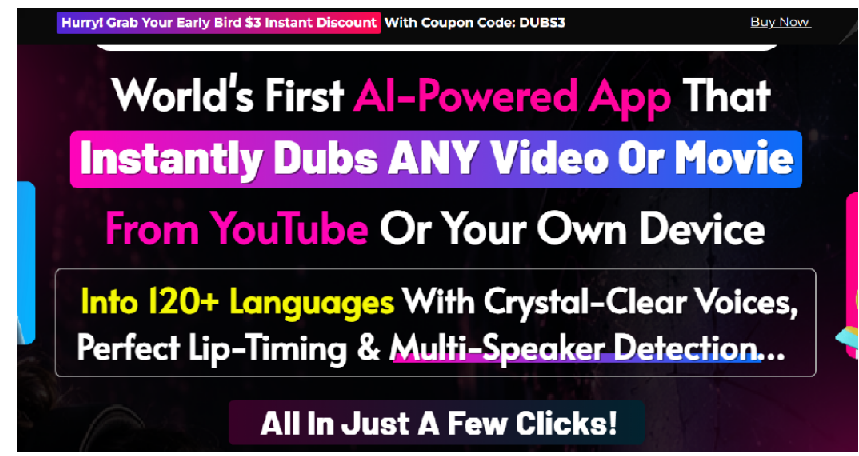
Table of Contents
1. The Problem: Your Best Content Never Leaves English
2. So, What Exactly Is DubMash AI?
3. The Real Frustrations This Tool Is Trying to Fix
6. Pricing — And Whether It’s Actually a Deal
7. How It Stacks Up Against Other AI Dubbing Tools
8. Who Should (and Shouldn’t) Buy This
9. The Good and the Not-So-Good
11. Quick Questions People Ask
The Problem: Your Best Content Never Leaves English
Think about the last video you were genuinely proud of. The one where you nailed the hook, the pacing felt right, maybe you even rewatched it a couple of times after publishing. Now think about how many people actually got to see it.
If you only publish in English, the honest answer is: a fraction of who could have. Over 80% of the world doesn’t speak English as a first language, and that’s not some abstract stat — it’s your audience, scrolling right past your video because it doesn’t speak to them, literally. The old fix for this was dubbing, and dubbing has always been a pain. You’d hire a voice actor, pay somewhere between $150 and $300 per language, wait a few days, and then discover the timing doesn’t quite match your video’s pacing — so now you need an editor too. For most creators, that math just doesn’t work, so the video stays English-only and the reach stays capped.
That’s the exact gap tools like DubMash AI are trying to close.
So, What Exactly Is DubMash AI?
DubMash AI is a browser-based dubbing tool — you paste a YouTube link or upload your own file, and it dubs the video into your choice of over 120 languages. Under the hood, it’s stitching together transcription, translation, AI voice generation, and timing sync into one pipeline, so what used to take days of back-and-forth with a voice actor happens in roughly a minute.
It also picks up on multiple speakers in a video automatically, which is the part that usually breaks in cheaper tools — interviews and podcasts tend to come out with everyone sounding like the same flat narrator. DubMash AI assigns each speaker their own voice instead.
The Real Frustrations This Tool Is Trying to Fix
Let’s skip the marketing language and talk about what’s actually annoying about dubbing the old way — and whether this genuinely fixes it.
“Voice actors cost too much and take forever.”
→ AI voiceovers here generate in under a minute, with no added cost per video.
“Getting the audio to match the video is a headache.”
→ Timing sync is automatic, so there’s nothing left to manually align.
“Multi-speaker videos are a nightmare to dub.”
→ Speaker detection handles this on its own, assigning distinct voices per person.
“Every dubbing subscription caps what I can actually do.”
→ This one’s a one-time payment, so there’s no monthly meter running.
“I know I’m losing viewers I never even see.”
→ Dubbing your existing library opens that audience up without filming anything new.
How It Actually Works
Nothing complicated here, which honestly is the point:
- Add your video — paste a YouTube link or upload from your phone, laptop, whatever.
- Pick a language — the AI handles transcription, translation, and voice generation from there.
- Download it — export and post to YouTube, TikTok, Instagram, or hand it off to a client.
What You Get: Key Features
- Dubbing into 120+ languages with voices that don’t sound robotic
- Automatic detection of multiple speakers, each getting a distinct voice
- Timing that follows your original video’s pace instead of feeling off
- Works with YouTube links or uploads (MP4, MOV, AVI, MKV)
- Commercial license, so you can dub and sell videos for clients
- One-click export built for YouTube, TikTok, Reels, and more
- Runs entirely in the browser — nothing to install
- Batch processing and a project library if you’re managing several videos at once
Pricing — And Whether It’s Actually a Deal
Right now DubMash AI is being sold as a one-time payment during its launch window, undercutting its own stated $97/month regular price by a wide margin. There’s also a 30-day money-back guarantee, so you’re not locked in blind — you can run it against your own videos first and decide if it’s actually useful for your workflow.
Launch pricing like this almost always climbs as more people buy in, so if you’re seriously considering it, checking the current price on the official page before deciding is worth the two minutes.
More Information – Official website
How It Stacks Up Against Other AI Dubbing Tools
2026 has no shortage of AI dubbing software — ElevenLabs, HeyGen, Rask AI, and Dubverse are all solid, established options, and they mostly run $59–$99 a month for similar dubbing and voice cloning capability. The real difference with DubMash AI is the pricing structure itself: one payment instead of an ongoing bill.
That’s appealing if you hate subscriptions, but it’s fair to note that the bigger names have been around longer, have larger user bases, and generally more mature support behind them. If you’re dubbing content professionally at scale, that track record is worth weighing against the lower upfront cost here.
More Information – Official website
Who Should (and Shouldn’t) Buy This
Makes sense for:
- YouTubers sitting on a back catalog of English-only videos
- Course creators who want to sell to students outside the English-speaking world
- Small agencies or freelancers who want to offer localization as a paid add-on
- eCommerce brands running video ads in multiple countries
- Podcasters and interviewers looking to expand into new regions
Probably not worth it for:
- Someone with no existing video content to dub in the first place
- Anyone who needs frame-perfect lip-sync for high-end film or broadcast work
The Good and the Not-So-Good
What stood out:
- Genuinely faster and cheaper than hiring a voice actor
- Zero editing or language skills needed
- Commercial license makes it a real income option, not just a personal tool
- One-time cost instead of a subscription you forget you’re paying for
What to keep in mind:
- Like any AI voice tool, output quality depends a lot on your source audio
- It’s a newer product, so long-term support and reliability are still unproven
- It’s most valuable if you already have content to localize — not a starting point for creators with nothing published yet
My Honest Take
If you’ve got videos that already perform well but never left English, DubMash AI is solving a problem that’s real, not manufactured. The one-time price and refund window make it a pretty low-risk way to find out whether dubbing your content actually grows your reach — you’re not signing up for a year of payments to test a theory.
That said, don’t skip your own homework. Check the current price on the official page, read the refund terms, and weigh it against the bigger, more established players if long-term support matters to you. No tool is magic — but this one is at least solving a problem worth solving.
More Information – Official website
Quick Questions People Ask“Do I need any editing experience?”
→ No — it’s paste a link, pick a language, export. That’s really it.
“Does it handle videos with more than one speaker?”
→ Yes, it detects each speaker and gives them a separate voice automatically.
“Can I sell the videos I dub?”
→ Yes, it comes with a commercial license for exactly that.
“Is this a subscription I’ll get charged for later?”
→ Not currently — it’s a one-time payment, not a recurring plan.
“What if I try it and don’t like it?”
→ There’s a 30-day money-back guarantee, so you’re not stuck with it.
Disclosure: This article may contain an affiliate link.