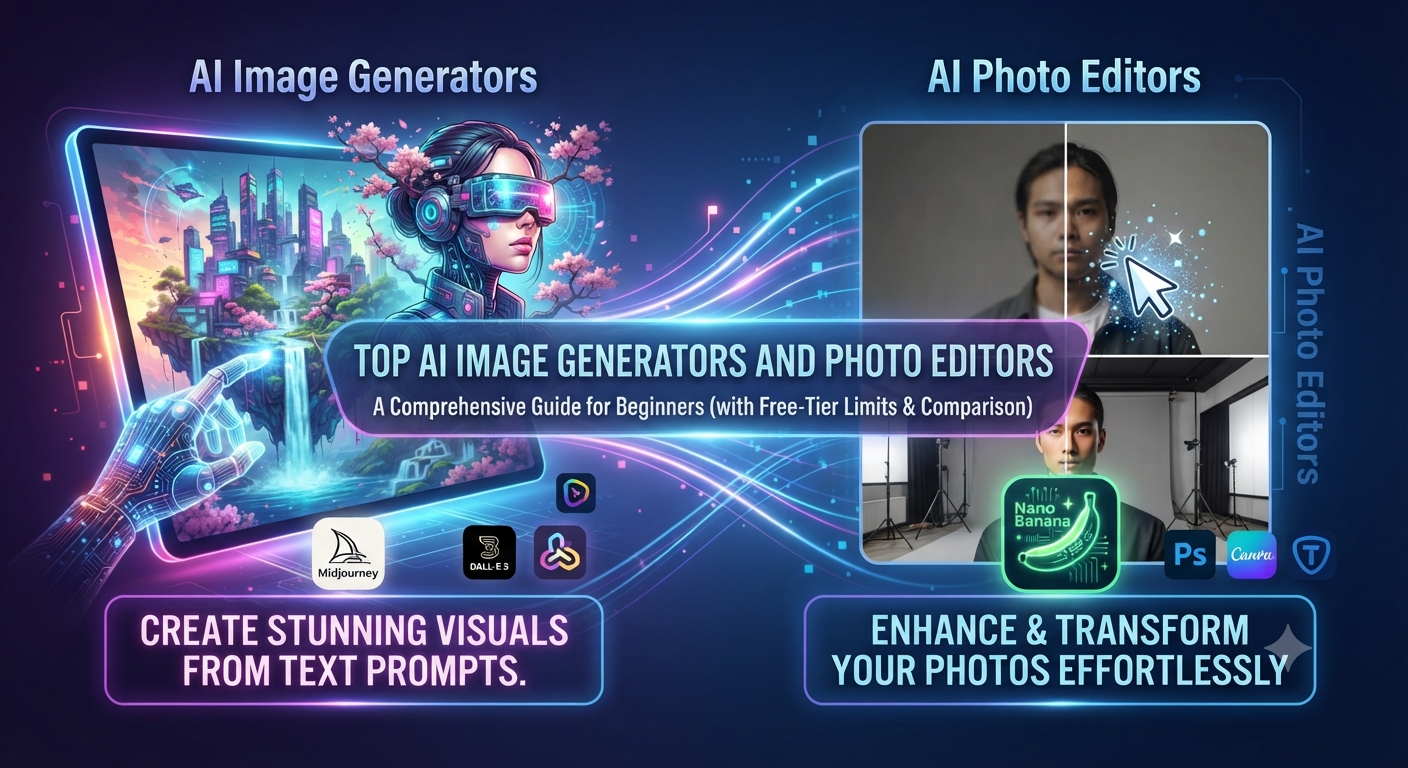
I still remember the exact moment I stopped taking AI image generators seriously — and the exact moment, about a year later, I had to eat those words.
It was late 2022. A friend running a small handmade jewellery page on Instagram asked me to “make her some AI pictures” for a festive campaign. I typed a prompt, waited, and got back a woman with six fingers on one hand and a face that looked like it had been left out in the rain. I told her, half-joking, that this technology was a toy and she should just hire a photographer.
Fast forward to a rainy Tuesday a few months ago. The same friend messaged me again — this time asking which AI image generator she should use for her new skincare brand’s product mockups, because “everyone on YouTube keeps talking about Nano Banana.” I opened three different tools that afternoon expecting the same six-fingered disaster. I did not get it. What I got instead made me sit back in my chair for a second.
That afternoon turned into a proper deep dive — comparing free limits, testing the same prompt across different platforms, editing the same photo five different ways to see which AI photo editor actually listened to instructions instead of guessing. This guide is the result of that afternoon, plus everything I’ve picked up since from actual client work, not from skimming a press release.
If you’re a blogger, a small business owner, a social media manager, or just someone curious about what all the noise is about, this is written for you — in plain language, with real opinions, and without the fake enthusiasm you get from articles clearly written to fill a keyword quota.
Table of Contents
- Why AI Image Generators Suddenly Became Impossible to Ignore
- What Actually Makes an AI Image Generator or AI Photo Editor Good
- Nano Banana — The Tool I Didn’t Expect to Like
- Midjourney — Still the Heavyweight for Serious Visual Work
- DALL-E 3 Inside ChatGPT — The Beginner-Friendly Option
- A Few Underrated Tools Worth Knowing About
- Side-by-Side Comparison Table
- Step-by-Step: Getting Your First Good Result From Nano Banana
- Step-by-Step: Writing Prompts That Actually Work in Midjourney
- Common Mistakes Beginners Make (I Made All of These)
- Commercial Use, Copyright, and the Legal Grey Zone
- Frequently Asked Questions
- Final Thoughts
Why AI Image Generators Suddenly Became Impossible to Ignore
There’s a reason your Instagram explore page, your cousin’s WhatsApp status, and half the thumbnails on YouTube suddenly look a little too polished. It isn’t a coincidence, and it isn’t just “AI hype” the way NFTs were hype. Something genuinely shifted.
For most of design history, turning an idea into a finished visual required a specific skill — either you learned Photoshop or Illustrator over years, or you paid someone who had. That barrier kept a lot of good ideas stuck in people’s heads. A shopkeeper with a great product had no way to make it look as good online as a big brand’s marketing team could. A blogger with a strong opinion piece had no way to make an eye-catching header image without either stealing a stock photo or spending a Saturday fighting with Canva templates that looked exactly like everyone else’s Canva templates.
An AI image generator flips that. You describe what you want in a sentence, and within seconds you get something you can actually use — not a rough sketch, a genuinely finished image. And an AI photo editor goes a step further: instead of generating something from nothing, it lets you take a photo you already have and change specific parts of it using plain language instead of layers, masks, and years of muscle memory with a mouse.
I’ve watched small business owners who couldn’t tell you what a “clipping mask” is produce product shots that look genuinely professional, purely because the tool understood what they meant when they typed “make the background a soft gradient, keep the product sharp.” That’s not a small thing. That’s a real democratization of a skill that used to be gatekept by both money and time.
It’s also worth being honest about the flip side. The same ease that lets a small business look bigger also floods the internet with a lot of forgettable, samey content — you can usually tell within two seconds when someone typed one lazy sentence and hit generate. The tools that separate themselves are the ones that reward a little effort on your part, and that’s really what this whole guide is about.
Marketing Through YouTube in 2026: The Complete SEO-Optimized Strategy Guide

What Actually Makes an AI Image Generator or AI Photo Editor Good
Before I get into specific tools, I want to talk about how I personally judge them, because most comparison articles just list features without explaining why those features matter in practice.
Does it actually understand what you typed? This sounds obvious, but it’s the single biggest differentiator. Early tools would grab a couple of keywords from your prompt and ignore the rest. You’d ask for “a golden retriever wearing sunglasses sitting on a red bench” and get a golden retriever, no sunglasses, no bench, wrong colour dog. A good modern tool holds onto every detail you give it, including spatial relationships — left of, behind, wearing, holding.
Can you actually edit after you generate something? Nobody gets the perfect image on the first attempt. What separates a genuinely useful AI photo editor from a toy is whether it lets you say “keep everything the same, just change the lighting to golden hour” without regenerating the entire image from scratch and losing everything you liked about the first version. This is called targeted or localized editing, and it’s the single feature I now refuse to live without.
Is the text inside the image actually readable? For the longest time, this was the tell-tale sign of an AI-generated image — a sign, a t-shirt, or a book cover with letters that looked like a font nobody has ever seen, arranged in an order that meant nothing. This has improved enormously in the last year or two, but it’s still not universal across every platform, and it matters a lot if you’re making anything with a headline, a logo, or a quote baked into the visual.
What do you actually get before it starts asking for your card? Free-tier limits change constantly and rarely match what the marketing page says. I’ve signed up for tools promising “unlimited free generations” only to hit a wall after four images. I now judge a platform by what a genuinely broke college student could accomplish with it in a week, not by what the pricing page claims.
How does it handle hands, faces, and small details? This is the classic weak spot. It’s dramatically better than it was two years ago, but it hasn’t disappeared completely — extra fingers, oddly bent joints, eyes that don’t quite match. Worth checking before you commit to a tool for anything involving people.
If a platform fails on more than one of these, I don’t care how pretty its landing page is — I move on.
Nano Banana — The Tool I Didn’t Expect to Like
I’ll be honest about my bias going in: I expected Nano Banana to be a lightweight, slightly gimmicky app riding on a catchy name. What actually happened is that it became the tool I open first for almost anything quick.
The thing that won me over wasn’t raw image quality — it’s the conversational editing. You upload a photo or generate one, and then you just talk to it the way you’d talk to a very literal assistant. “Make the lighting warmer.” “Remove the person standing in the background.” “Change her jacket to green.” No layers, no selection tools, no learning curve. For a small business owner managing their own Instagram at 11pm after a full day of actual work, that matters more than any spec sheet.
Where it shines specifically:
- Quick object removal — genuinely one of the cleaner implementations I’ve tested. Stray photobombers, background clutter, unwanted reflections, gone in one instruction.
- Stylized avatars and profile pictures — if you’ve seen the wave of cartoon-style, anime-style, or “Studio Ghibli-ish” profile picture trends, a huge chunk of that traffic runs through tools exactly like this one.
- Fast turnaround for social content — when you need something today, not after three rounds of prompt engineering.
Where it’s not the right tool:
- If you need genuinely gallery-quality, cinematic artwork, it’s not built to compete with the heavyweight art-focused platforms.
- Extremely fine control over composition — exact camera angles, precise depth of field — isn’t really its strength.
For the average blogger, small shop owner, or social media manager, though, it covers an enormous amount of ground with almost no learning curve, and that’s exactly why it’s become the tool I recommend first to people who’ve never touched an AI image generator before.
Midjourney — Still the Heavyweight for Serious Visual Work
If Nano Banana is the tool you reach for on a Tuesday night when you need something fast, Midjourney is the tool you reach for when the output actually needs to impress someone — a client, a portfolio, a print campaign.
The realism it produces, especially around lighting, atmosphere, and texture, is still a level above most competitors. Skin looks like skin instead of plastic. Fabric folds the way fabric actually folds. Environments have a sense of depth and mood that feels closer to a professionally lit photograph than a computer-generated image.
The cost of that quality is a steeper learning curve. Midjourney doesn’t hold your hand the way a conversational tool does — you’re writing structured prompts, often experimenting with specific parameter tags to control aspect ratio, stylization strength, and version. It rewards people willing to actually learn its language, and it can feel unforgiving to someone who just wants to type a sentence and get a usable result immediately.
Free access has also gotten thinner over time. Depending on when you sign up and what promotions are running, you may get a small trial before being pushed toward a subscription. For someone testing the waters casually, that can be frustrating. For someone doing genuinely professional creative work, the subscription cost is usually a rounding error compared to what a comparable human illustrator or photographer would charge for the same output.
My honest take: don’t start here if you’re brand new to AI art. Start with something conversational, understand what you actually want to make, and come to Midjourney once you have a specific creative bar you’re trying to clear.
DALL-E 3 Inside ChatGPT — The Beginner-Friendly Option
If someone tells me they’ve never used any of these tools before and asks where to start, this is usually my answer.
The entire appeal of DALL-E 3, especially wrapped inside a conversational interface like ChatGPT, is that it removes the need to learn any prompt syntax at all. You don’t need to know what “8k, hyperrealistic, cinematic lighting, trending on artstation” means as a magic incantation — you just describe what you want the way you’d explain it to a person standing next to you, and the underlying system expands that description into something more detailed on your behalf.
This matters more than it sounds. A huge number of people give up on AI image tools not because the tool is bad, but because they don’t know how to talk to it — they type three words, get a mediocre result, and conclude the whole category is overhyped. DALL-E 3 quietly solves that specific problem by doing the prompt expansion work for you.
It’s also genuinely strong at incorporating clean, readable text into designs — logos, headers, quote graphics — which historically has been one of the hardest things for any image model to get right. If you’re a blogger who wants a header image with your article title actually rendered legibly inside it, this is one of the more reliable options.
The trade-off is that it’s less specialized. It won’t out-art Midjourney for cinematic realism, and it’s not built around the fast conversational photo-editing loop that makes Nano Banana so quick for touch-ups. Think of it as the most well-rounded generalist of the three — very good at a wide range of things, without being the single best at any one of them.
A Few Underrated Tools Worth Knowing About
Most articles on this topic stop at the same three names, so I want to mention a few others that don’t get nearly enough credit, because depending on what you’re doing, one of these might actually fit better than the big three.
Adobe Firefly deserves more attention than it gets, mainly because it’s trained specifically to be commercially safer for professional use, and it’s now stitched directly into Photoshop. If you already live inside the Adobe ecosystem for client work, the integration alone can save you real time — no exporting, re-uploading, and re-exporting between separate apps.
Leonardo AI has quietly built a strong following among game developers and concept artists because of how much control it gives over specific visual styles and consistent character generation across multiple images — genuinely useful if you’re building something like a comic, a game asset set, or a branded mascot that needs to look the same across dozens of images.
Ideogram is worth knowing about specifically for one reason: text rendering. If your entire use case is generating posters, memes, or graphics where the words matter as much as the picture, Ideogram has built a real specialty here that’s worth testing before you assume you need one of the bigger names.
None of these replace the big three for every use case, but a good rule of thumb is this: if your specific need is narrow and specific — commercial safety, character consistency, or text-heavy design — it’s worth checking whether a smaller, more focused tool already solved that exact problem better than the generalists.
Side-by-Side Comparison Table
| Tool | Core Strength | Best For | Free Access | Learning Curve | Output Quality |
|---|---|---|---|---|---|
| Nano Banana | Conversational editing, fast turnaround | Social content, quick edits, beginners | Daily free credits | Very low | Solid, up to roughly 2K |
| Midjourney | Cinematic realism, artistic depth | Professional art, branding, portfolios | Thin or seasonal free access | Steep | Exceptional detail and lighting |
| DALL-E 3 | Natural language prompting, text integration | Bloggers, marketers, all-round use | Free within some ChatGPT tiers | Very low | Clean, sharp, strong typography |
| Adobe Firefly | Commercial safety, Photoshop integration | Professional/agency workflows | Limited free monthly credits | Low-medium | Reliable, print-friendly |
| Leonardo AI | Consistent characters/styles | Game assets, comics, mascots | Generous free daily credits | Medium | Strong, style-consistent |
| Ideogram | Text and typography accuracy | Posters, memes, text-heavy graphics | Free tier available | Low | Very good on legible text |
Step-by-Step: Getting Your First Good Result From Nano Banana
I’ve walked several non-designer friends through this exact process, so I know it works even for someone who’s never touched an image tool in their life.
- Open the platform on web or mobile and log in with your existing account.
- Choose your starting point. Decide whether you’re generating something entirely new (“Text to Image”) or editing a photo you already have (“Photo Editor”). This decision alone saves you from wasting your first few attempts.
- Write a full sentence, not a keyword. This is the single biggest jump in quality for beginners. “Workspace” produces something generic and forgettable. “A minimalist desk setup with a laptop, a warm brass desk lamp, and a small potted plant, soft afternoon light coming through a window” produces something you’d actually want to post.
- Generate, then refine instead of restarting. If the lighting’s slightly off or the plant’s in the wrong spot, don’t scrap it — tell the tool exactly what to change. This is where the conversational editing genuinely earns its keep.
- Check the small details before exporting. Zoom into hands, text, and reflections specifically — these are still the areas most likely to have small errors.
- Export in the resolution you actually need. Decide this before you close the tab; re-finding the exact same generation later isn’t always possible.
Step-by-Step: Writing Prompts That Actually Work in Midjourney
Midjourney rewards a bit more structure than Nano Banana, so here’s the process I actually use.
- Start with the subject and action, stated plainly — who or what, and what they’re doing.
- Add environment and mood — where this is happening and what the atmosphere feels like. “In a quiet library at dusk” does more work than you’d expect.
- Describe the lighting explicitly. “Golden hour,” “soft studio lighting,” “harsh overhead light” — this single addition changes output quality more than almost anything else.
- Mention a reference style if you have one in mind — a particular photography style, art movement, or visual mood, described in words rather than assuming the tool knows a specific artist’s exact technique.
- Add technical parameters last — aspect ratio, stylization level, version — once you already like the direction of the image and just want to refine its shape.
- Generate multiple variations before judging the tool. A single mediocre result rarely reflects what the platform is actually capable of; small prompt tweaks between attempts teach you more than reading any guide, including this one.
Common Mistakes Beginners Make (I Made All of These)
Writing prompts like search engine queries instead of descriptions. “Beautiful sunset beach photo” gives a generator almost nothing to work with compared to actually describing colours, time of day, and what’s physically in the frame.
Giving up after one bad result. The first output from any of these tools is rarely the final one. Treat it as a rough draft you refine, not a verdict on whether the tool works.
Ignoring the free-tier reset timing. Most platforms reset daily credits at a specific time, not “every 24 hours from your last generation.” I’ve wasted credits by assuming the wrong reset schedule more than once.
Assuming commercial rights automatically come with any output. This one genuinely matters and gets glossed over constantly — more on it below.
Not checking hands, text, and reflections before publishing. These remain the most common giveaways that an image was AI-generated, and a five-second check before you post saves you from an embarrassing comment section.
Commercial Use, Copyright, and the Legal Grey Zone
This is the section I wish more guides took seriously instead of rushing past with a vague reassurance.
Whether you can legally use an AI-generated image for a commercial project — a product listing, an ad, a client’s website — depends entirely on the specific platform and the specific plan you’re on. Free tiers very commonly restrict usage to personal, non-commercial purposes, while paid tiers usually (though not always automatically) grant broader commercial licensing.
The word “usually” is doing real work in that sentence. Terms change, platforms update their policies without much fanfare, and what was true six months ago on a given tool may not be true today. If you’re putting a generated image on something you’re selling or a client is paying for, the responsible move is to actually read the current terms of service for that specific platform before you publish — not to rely on what a blog post (including this one) told you last year.
I’ll also add something less commonly discussed: even with a commercial license from the platform, there’s ongoing legal and ethical debate around how these models were trained and what that means for output ownership in different jurisdictions. This is a genuinely unsettled area, and treating it as fully resolved would be misleading. If your use case is high-stakes — a large campaign, a trademark-adjacent design, anything with real legal exposure — it’s worth a conversation with someone who actually practices intellectual property law, not just a checklist from an article.
Frequently Asked Questions
Do I need any design background to use an AI image generator? No, and this is genuinely one of the most refreshing things about this category. The skill that actually matters is being able to describe what you want clearly and specifically. People who write well tend to prompt well, regardless of whether they’ve ever opened Photoshop.
Which tool should an absolute beginner start with? Something conversational — Nano Banana or DALL-E 3 inside ChatGPT. Both let you describe things in plain sentences and refine through conversation rather than requiring you to learn a specific prompt syntax on day one.
Are AI-generated images safe to use commercially? It depends entirely on your specific plan on your specific platform, and terms can change. Free tiers typically restrict you to personal use; paid tiers usually unlock commercial rights, but “usually” isn’t “always” — check the current terms before publishing anything commercially sensitive.
Why do hands and fingers still sometimes look wrong? It’s improved enormously over the last couple of years but hasn’t fully disappeared. Being specific in your prompt — mentioning “natural five-fingered hands” or “anatomically correct hands” — helps. When it still looks off, regenerating a couple of times is usually faster than trying to fix one stubborn image.
Can these tools completely replace a professional photographer or designer? For a lot of everyday use cases — social posts, quick mockups, blog headers — yes, genuinely. For situations requiring a specific real person, precise brand consistency across a huge campaign, or genuinely bespoke creative direction, a skilled human professional still brings judgment these tools don’t replicate. I use both, depending on the stakes of the project.
Is one AI photo editor clearly “the best” overall? No, and I’d be suspicious of any guide claiming there is. The right tool depends entirely on what you’re doing — fast social edits point toward Nano Banana, serious artistic work points toward Midjourney, and general-purpose, text-friendly design points toward DALL-E 3. Match the tool to the actual job.
Final Thoughts
None of these tools are magic, no matter how the marketing copy reads. What they actually offer is speed — and speed is genuinely valuable, especially for people who don’t have a design team on standby. But the outputs that actually look good, the ones that don’t scream “someone typed one lazy sentence and hit a button,” are consistently made by people who put in a bit of real thought before generating.
That’s really the whole lesson from my afternoon of testing these side by side, and from everything since. The tool matters less than most comparison articles want you to believe. What matters is whether you’re willing to describe what you actually want, refine it once or twice, and check the small details before you hit publish. Do that, and honestly, any of these tools will serve you well.
Top 10 Free AI Tools for YouTube Video Creation in 2026 (No Watermark)
